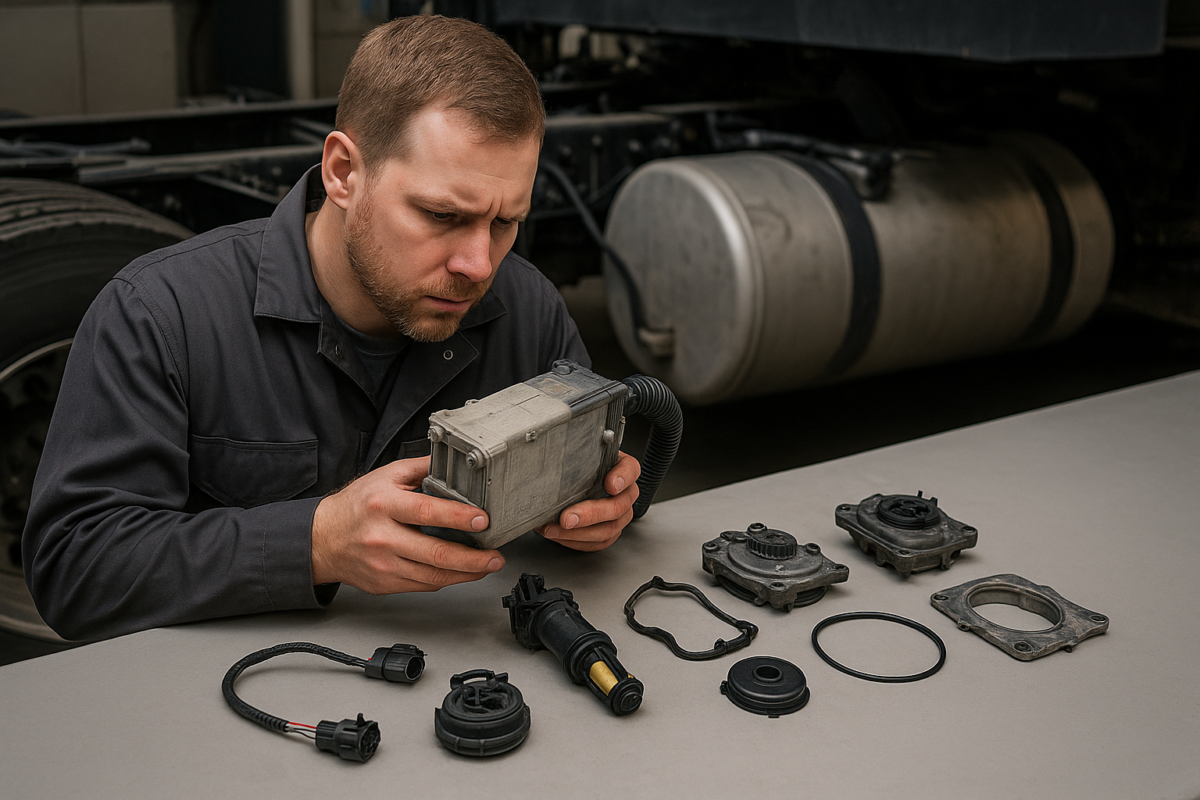

P203F shows up when your truck decides there isn’t enough DEF in the tank to keep the emissions system happy. Sometimes it’s right and the tank is low. Just as often the fluid is fine and a sensor is feeding the computer bad numbers. Telling those two apart is the whole game, because one fix is a $15 jug of DEF and the other is a $600 header assembly.
This guide walks through exactly what P203F means, the warning sequence you’ll see before the truck derates, every cause worth checking, a step-by-step diagnosis you can follow with a scan tool, real repair costs, and how the code behaves on 6.7 Cummins, Duramax, and Ford. It closes with the related codes that ride along with it and how to keep P203F from coming back.
What the P203F Code Means
P203F is a generic OBD-II diagnostic trouble code defined as “Reductant Level Too Low.” It’s stored by the emissions control module when the diesel exhaust fluid level in the tank reads below a set threshold. Because it’s a generic code, it appears across most SCR-equipped diesels with the same core meaning, even though each manufacturer packages the hardware differently.
Reductant Is Just DEF
Manufacturers call diesel exhaust fluid “reductant” because of what it does chemically: it’s the reducing agent the Selective Catalytic Reduction (SCR) system sprays into the exhaust to break nitrogen oxides down into nitrogen and water. Every time you see “reductant” in a code definition, read it as DEF. So “Reductant Level Too Low” is the computer saying the DEF tank is running dry.
The Code Is About the Reading, Not Always the Reality
Here’s the part that trips people up. P203F is set from a sensor reading, not from the fluid itself. A DEF level sensor sits in the tank and reports a percentage back to the module. If that sensor fails, its float sticks, crystals build up around it, or its wiring corrodes, it will report “empty” with a full tank of perfectly good fluid. That’s why refilling doesn’t always clear the code, and why swapping parts before you confirm the reading is a fast way to waste money.
How the Warning and Derate Work
Emissions rules require the truck to push you toward a fix, so P203F kicks off a staged warning. First a dash message and a countdown. Then reduced power. Then a hard speed limit that makes the truck nearly undrivable until the DEF system is sorted out. The countdown is measured in miles or engine starts depending on the platform, and it does not reset just because you cleared the light. Ignore it long enough and you’re getting towed.
Symptoms and the Warning Sequence
P203F rarely arrives quietly, and it almost never shows up alone. Knowing the sequence tells you how much time you have.
Dash Messages, Stage by Stage
- Early: a “DEF Low” or “Service DEF System” message, sometimes with a DEF gauge dropping faster than the fluid actually is.
- Warning stage: a countdown appears — “X miles to reduced power” or “X starts remaining.”
- Derate stage: the truck cuts power and torque once that countdown expires.
- Final stage: a hard speed limit, often around 5 mph, that forces the repair.
The Countdown and the Speed Limit
The countdown is the manufacturer’s enforcement timer. On many trucks you’ll see something like 200 miles to derate, then a second tier down to the crawl. Restarting the engine doesn’t buy you a fresh countdown, and disconnecting the battery won’t reset the derate on most modern platforms. Treat the first message as your window to fix it, not a suggestion to keep driving.
Companion Codes You’ll Often See With P203F
The codes stored alongside P203F point you toward the real problem:
- P203D — reductant level sensor circuit range/performance, which leans toward a sensor or wiring fault.
- P204F — reductant system performance, a broader “the system isn’t dosing right” code.
- P20E8 — reductant pressure too low, which points at the pump or a supply-line issue.
- P20EE — SCR NOx catalyst efficiency, often a downstream result of running low or off-spec DEF.
If P203F stands alone, start with level and sensor. If it’s stacked with pressure or quality codes, the story gets bigger than a low tank.
What Actually Causes P203F
Work these in order, cheapest and most likely first. Chasing them out of order is how a low-tank code turns into a parts-cannon repair bill.
1. The Tank Really Is Low
Obvious, but check it first. If you’ve been stretching miles between refills, the code may be doing its job. Top the tank off with fresh, quality DEF, clear the code, and drive a full cycle. If it stays gone, you’re done. Don’t overfill — leave room for expansion, especially in cold weather.
2. A Failed DEF Level Sensor or Header Module
The level sensor usually lives inside the DEF pump/header unit mounted in or on top of the tank. On many trucks it’s a combined module that handles level, temperature, and sometimes quality. When the sensor or its float fails, it reports low no matter how much fluid is in the tank. This is the most common cause once you’ve ruled out an actually empty tank, and because the sensor is bundled into the header, the repair is usually a module swap rather than a standalone sensor.
3. Crystallized or Contaminated DEF
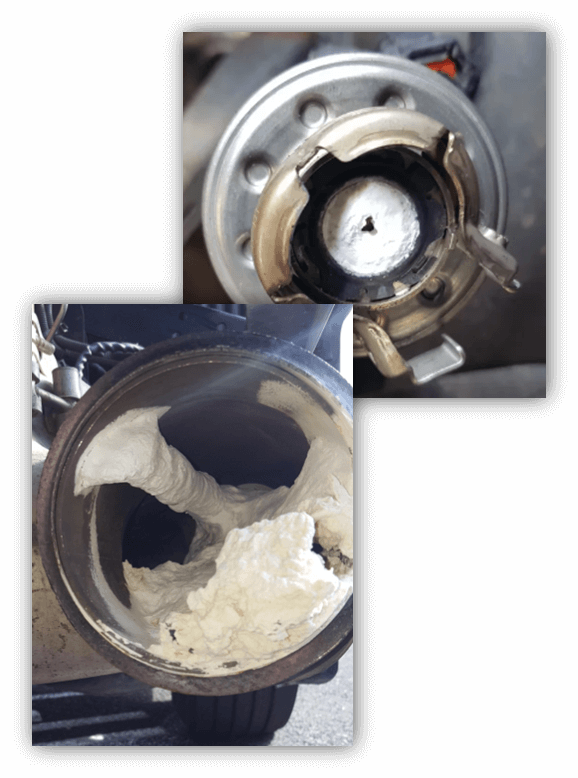
DEF crystallizes into a white, sugary buildup when it dries out or sits off-spec, and those crystals collect right where the level sensor reads. Contamination — water, diesel, or the wrong fluid poured in by mistake — throws the reading off the same way. This is the cause techs miss because the tank looks full and the fluid looks fine at a glance. A quick quality test settles it. Our DEF crystallization fix guide covers the cleanup when crystals are the culprit.
4. Wiring and Connector Problems
The connector at the DEF tank header lives in a rough spot — road spray, salt, and heat cycles. A corroded pin, a loose connector, or a chafed wire in the harness sends a bad signal that the module reads as low level. This one is cheap to find and cheap to fix, which is exactly why it’s worth checking before you order a header.
5. Outdated Module Software
On a handful of platforms and model years, the emissions module needs a software update before it interprets the sensor data correctly. If the hardware checks out and the code still won’t stay gone, a dealer reflash may be the missing piece. It’s the last thing to check, not the first.
How to Diagnose P203F Step by Step
You can’t diagnose this one with a basic code reader. You need live data. Here’s the order that keeps you from guessing.
Tools You’ll Need
- A scan tool that reads live DEF/reductant data (level %, tank temperature, and pressure), not just codes
- A DEF refractometer to check fluid quality (should read 32.5% urea)
- A basic multimeter for connector and wiring checks
- A flashlight and the patience to actually look at the tank header
Step 1 — Read Every Code and the Freeze Frame
Pull all stored and pending codes, not just P203F, and note the freeze-frame data. Companion codes like P203D, P204F, or P20E8 change your path completely. The freeze frame tells you the conditions when the code set, which helps separate a genuinely low tank from an intermittent sensor.
Step 2 — Compare Live DEF Level to What’s Actually in the Tank
This is the single most useful test. Look at the DEF level percentage in live data, then physically confirm how much fluid is in the tank. If live data shows 0% or a low reading on a tank you know is full, the sensor, its wiring, or the header is the problem, and no amount of DEF will fix it. If live data matches a genuinely low tank, start with a refill.
Step 3 — Test the DEF Quality
Draw a small sample and check it with a refractometer. Good DEF reads 32.5% urea and looks clear. If it’s off-spec, cloudy, or you can see crystals, the fluid is a cause, not a bystander — it can foul the sensor and skew the reading. Off-spec fluid gets drained and replaced, and the sensor area gets cleaned.
Step 4 — Inspect the Header Connector and Wiring
Unplug the connector at the DEF tank header. Look for green corrosion, spread or pushed-back pins, and moisture. Reseat it and clear the code. Back-probe the sensor signal and ground wires with a multimeter and wiggle-test the harness while watching for a dropout. A lot of “bad sensors” are really bad connectors.
Step 5 — Check the Sensor Signal
If the connector is clean and the wiring is solid, verify the sensor is actually reporting. Compare its live signal against the manufacturer’s expected range for a known fluid level. A sensor that reads pinned-low or dead flat regardless of level has failed, and on most trucks that means replacing the header module it’s built into.
How to Fix P203F and What It Costs
The repair follows the diagnosis. The table further down breaks out each path with a ballpark cost; here’s what each one involves.
Refill and Reset (the Cheap Fix)
If the tank was genuinely low, top it off with quality DEF, clear the code, and complete a drive cycle so the system re-checks the level. This runs $15 to $20 and takes ten minutes. If the code comes right back after a real refill, move on — you don’t have a fluid problem.
Replacing the Level Sensor or Header Assembly
When the sensor has failed, most platforms want you to replace the DEF pump/header module it’s part of rather than the sensor alone. Parts run roughly $150 to $500 depending on the truck, and with labor most shops land between $400 and $900. OEM assemblies cost more than aftermarket but tend to read accurately and last; a bargain sensor that drifts will just set the code again, so this isn’t the place to cut corners.
Repairing Wiring and Connectors
A corroded connector might cost nothing more than cleaning and reseating. A chafed or broken wire means a harness repair, usually somewhere from a shop’s minimum to a couple hundred dollars. Cheap relative to a header, which is why it’s worth ruling out first.
Flushing Contaminated or Crystallized DEF
If the fluid tested off-spec or you found crystals, drain the tank, flush it, and refill with fresh DEF. Clean the crystal buildup away from the sensor and header while you’re in there. Budget $50 to $200 plus fluid depending on whether you do it yourself. Our DEF tank cleaning guide covers the process step by step.
Clearing the Derate After the Repair
Fixing the cause doesn’t always undo the derate on its own. Some platforms need a scan tool to reset the countdown and restore full power once the code is resolved. A good independent shop or the dealer handles that in a few minutes. If your truck is still limited after a confirmed repair, this is the missing step.
P203F on Cummins, Duramax, Ford, and Others
The definition is identical across brands. The hardware, and the way the truck nags you, is not.
6.7 Cummins (Ram 2500/3500)
P203F is common on 6.7 Cummins trucks and usually traces to the DEF level sensor in the tank header. Ram’s warning strategy is aggressive, with a countdown that escalates quickly to reduced power, so don’t sit on it. Trucks that regularly run the tank low or sit for long stretches are the frequent offenders here.
Duramax (LML and L5P)
On LML and L5P Duramax trucks the reductant level sensor sits in the DEF tank, and crystallization around it is a frequent trigger, especially on trucks that idle a lot or run low often. If you’re on a Duramax and the tank is full, put crystallization high on your suspect list and quality-test the fluid before ordering parts.
Ford 6.7 Power Stroke
Ford bundles the DEF level sensor with the tank heater assembly, so a P203F on a 6.7 Power Stroke sometimes travels with cold-weather heater codes. If you’re seeing level and heater faults together, the shared assembly is the common thread. Our Ford Power Stroke DEF guide covers the whole system in detail.
Other SCR Diesels
Sprinter, medium-duty, and commercial SCR diesels set P203F the same way, with the same fix logic: confirm the reading against the actual level, test the fluid, then chase sensor or wiring. Part names and locations differ, but the diagnostic order doesn’t.
Related DEF Codes and What They Point To
When P203F shows up with company, the companion code usually tells you where to look next.
| Code | Definition | What It Usually Points To |
|---|---|---|
| P203D | Reductant level sensor circuit range/performance | Sensor or wiring fault, not a low tank |
| P204F | Reductant system performance | Broader dosing problem across the system |
| P20E8 | Reductant pressure too low | DEF pump or supply-line issue |
| P20E9 | Reductant pressure too high | Blockage or restricted injector |
| P20EE | SCR NOx catalyst efficiency below threshold | Downstream effect of low or off-spec DEF |
| P204C | Reductant injection performance | Injector delivery or metering fault |
How to Keep P203F From Coming Back
Refilling clears the easy version of P203F. Keeping the sensor honest is what stops it from returning. Most repeat cases trace back to two things you control: how low you let the tank get, and whether the fluid stays in spec.
Keep the Tank Topped Off
Running the DEF tank down to fumes on every cycle is hard on the sensor and gives contamination and crystals more chance to concentrate around it. Refill before the gauge bottoms out rather than after the warning starts.
Keep DEF In Spec So It Doesn’t Crystallize
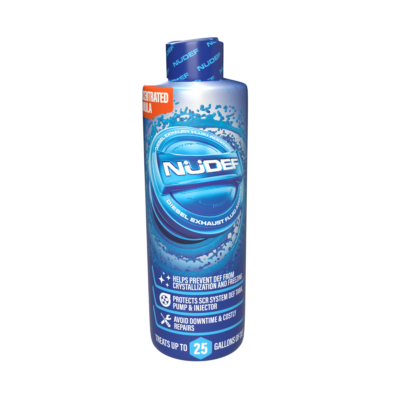
Heat and age are what push DEF off-spec, and off-spec fluid is what crystallizes around the level and quality sensors and starts the false-low readings. A DEF stabilizer like NüDef keeps diesel exhaust fluid within ISO 22241 spec longer and helps prevent that crystal buildup. It won’t revive a dead sensor, but it removes one of the most common reasons a good sensor starts reporting bad numbers. If you’re already fighting repeat DEF codes, our DEF additive breakdown covers what to look for.
Store DEF Correctly and Skip These Mistakes
Store sealed DEF out of direct sun and heat, and don’t use fluid that’s been sitting open or past its shelf life. A few habits cause most repeat P203F headaches:
- Clearing the code without fixing the cause — it just restarts the countdown.
- Adding water to stretch a low tank — it dilutes the DEF below spec and sets quality codes.
- Buying the cheapest sensor — a drifting reading brings the code right back.
- Ignoring the countdown — the derate to 5 mph is real, and it strands you.
More in the reductant-code series: DEF trouble codes index · P20E8 · P249D · P204F · P2048